
Back to Main Website

TROUBLESHOOTING

Home Page

Open the back panel:
Remove the 4 screws and the ground wire.

Locate the 2 strip heaters.

Let the strip heaters cool down.
Disconnect all the wires connected to the strip heaters.
Inspect the wires and crimps: there might be a damaged wire or a crimp touching the metal.

Measure the resistance on all strip heaters.
Please wait for 10-15 seconds to obtain the correct measurement.

At least one of the strip heaters has a resistance significantly above 40 Ω.
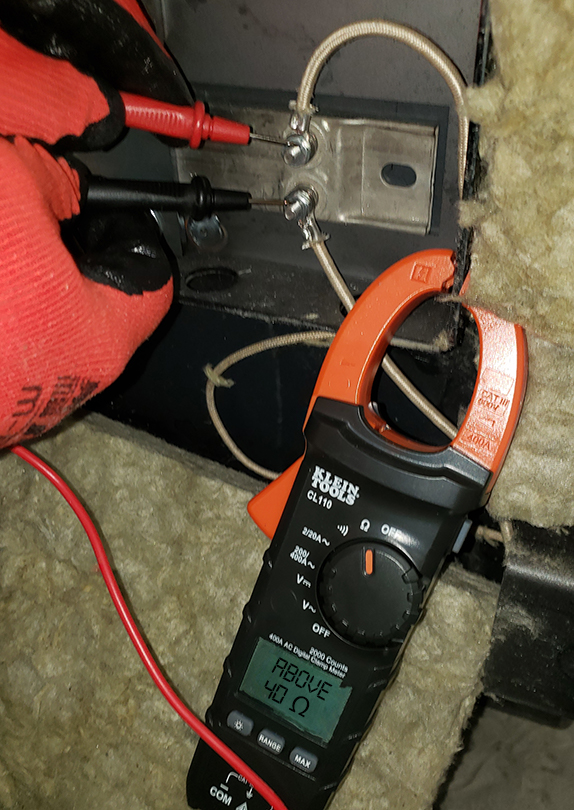
Your browser doesn't support this content.

The resistance of both strip heaters = 40 Ω.
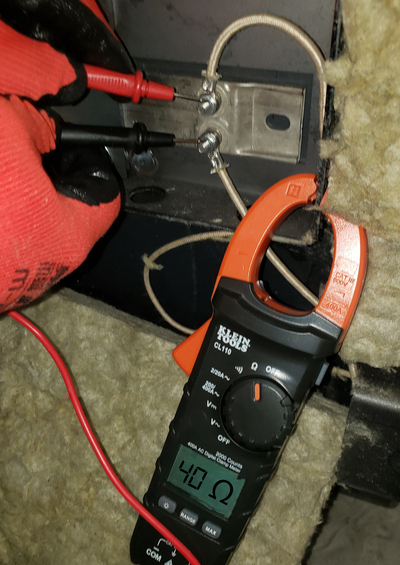
Your browser doesn't support this content.

HOW TO MEASURE THE RESISTANCE WITH A MULTIMETER :

  1. Make sure the power is turned OFF. (You cannot measure the resistance of a device while it is part of a live circuit).

  2. Set the mode to resistance by turning the selector knob to: Ω and choose the scale that the value is expected to be in.

  3. Plug the black probe to the common jack on the multimeter (COM).

  4. Plug the red probe into the jack labeled as resistance (Ω).

  5. Place the end of the black probe and the end of the red probe on the components.

  6. Read the value on the screen.

  7. Remove the end of red probe and the end of the black probe from the item you are testing.

  8. Unplug the probes from the multimeter.

All Rights Reserved © Greensolv

By Joël Fontaine